Frontend dashboard
WooCommerce admin on the frontend.
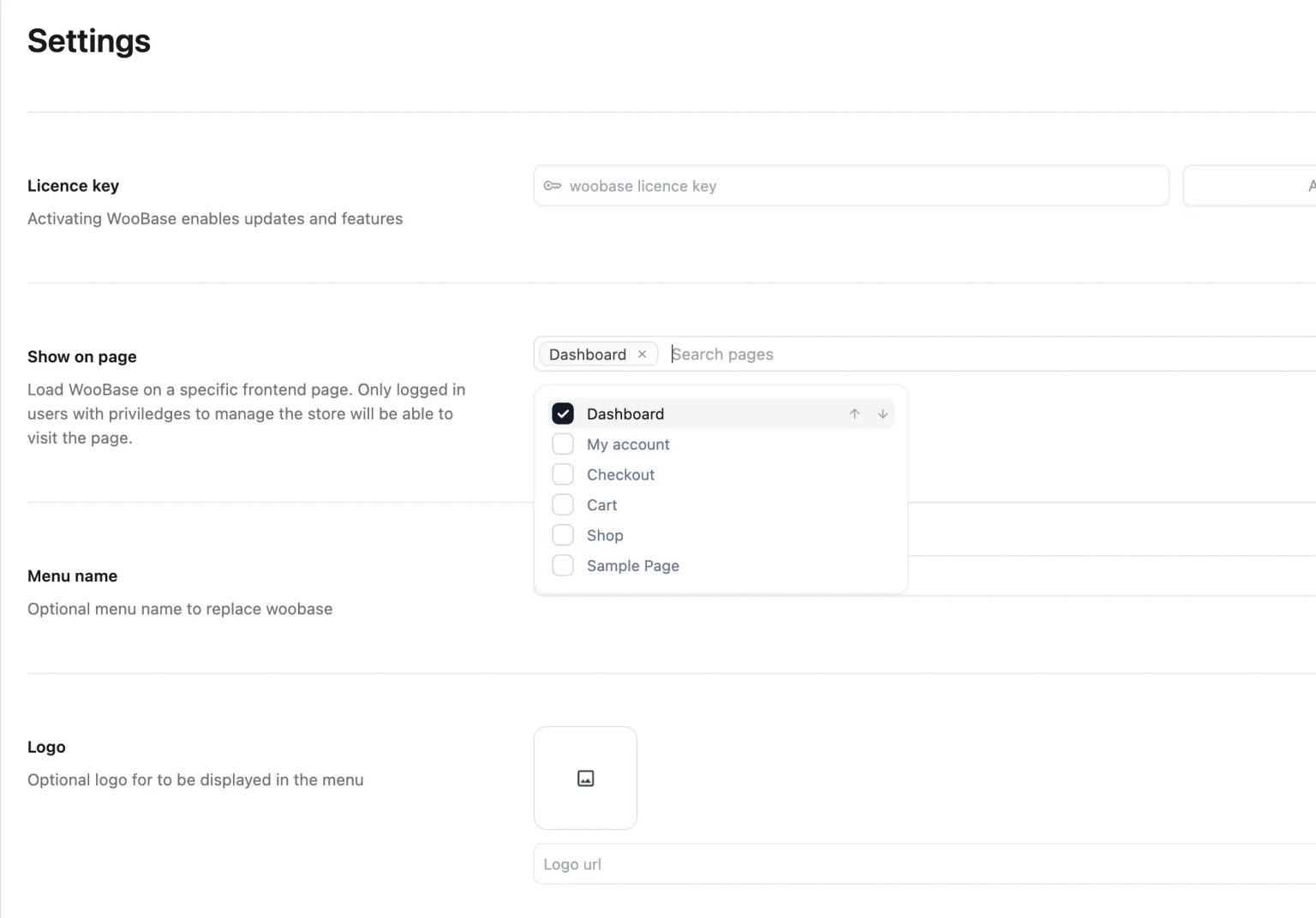
Embed VendBase on a front-end page so shop managers run orders and customers without logging into the full WordPress admin. Same WooCommerce data — a dedicated workspace.
Why teams ask for this
Shop managers do not need wp-admin.
Giving a warehouse lead or support hire the full WordPress menu is how plugins get toggled, permalinks get “fixed,” and themes get previewed on a Friday afternoon. Most of those people only need orders, customers, and products.
VendBase can load on a frontend URL you control. They authenticate, they work, they never see Plugins or Appearance. Developers keep wp-admin. Operations get a WooCommerce frontend dashboard that still talks to the same store.
Deployment
Two ways to run the admin.
Native wp-admin
Install like any other plugin and replace WooCommerce screens inside WordPress. No extra domain, no iframe hack.
Frontend page injection
Point VendBase at a page or template so the operations UI lives on a URL you choose — useful for staff bookmarks and role-limited access.
White-labeled workspace
Agencies can strip VendBase branding and hand clients a store dashboard that looks like part of their own stack.
Same capabilities, fewer menus
Orders, kanban, search, and customers still work. You are choosing where the UI mounts, not rebuilding WooCommerce.
FAQ
Common questions.
- Can I load the WooCommerce admin on the frontend?
- Yes. VendBase can run inside wp-admin or on a front-end page. Shop managers get the operations UI without the rest of the WordPress menu.
- Is this a WooCommerce frontend dashboard for customers?
- No. It is for store staff — not a customer account area. Customers still use the normal WooCommerce my-account flow.
- Do users still need WordPress logins?
- Yes. Access is still WordPress authentication and capabilities. Frontend loading changes where the UI appears, not who is allowed in.
- Where is the setup walkthrough?
- See the blog guide on loading WooCommerce admin on the frontend. It covers the original WooBase steps, which still apply under the VendBase name.
Lifetime access
Don't miss out on lifetime pricing.
Supercharge your WooCommerce store with VendBase — now available for a one-time payment. Secure your lifetime license today before we switch to yearly pricing.
Get VendBase Lifetime